

Frequently Asked Questions

Google Analytics Setup & Configuration

What are the first steps to setting up Google Analytics for my website?

The initial steps include creating a Google Analytics account, configuring your first property, and setting up a data stream. For websites, this means adding a tracking code to your site, either directly or via Google Tag Manager. You'll also need to provide basic business information to customize your reports and recommendations. Source

How do I add the Google Analytics tracking code to my website?

You can add the tracking code by placing the Google tag in the <head> section of every page you want to track. Alternatively, use Google Tag Manager for more flexibility, especially if you manage multiple tags. Many CMS platforms like WordPress offer plugins to automate this process. Source

What are data streams in Google Analytics and why are they important?

Data streams represent the flow of data from your website or app to Google Analytics. Setting up a data stream is essential for collecting accurate data and enables you to track user interactions across different platforms. Source

How can I filter out internal traffic from my Google Analytics reports?

Set up internal traffic filters during configuration to exclude your own visits from analytics data. Proper filtering can reduce data noise by up to 20%, improving the accuracy of your reports. Source

What user permissions can I set in Google Analytics?

Google Analytics allows you to assign different roles such as Viewer, Editor, or Admin to team members, ensuring each person has the appropriate level of access for their responsibilities. Source

How does cross-domain tracking work in Google Analytics?

Cross-domain tracking allows you to track users across multiple domains, providing a unified view of user journeys when your business operates several websites. Proper configuration is essential for accurate data collection. Source

What is the role of Google Tag Manager in analytics setup?

Google Tag Manager simplifies the management of multiple tracking codes and enables advanced tracking capabilities, such as event tracking and custom triggers, without needing to modify website code directly. Source

How do I verify that my Google Analytics events are being tracked correctly?

Use the DebugView mode in GA4 to test your implementation and confirm that events are being tracked as intended. This tool is especially useful when setting up new event tracking or troubleshooting issues. Source

What is the Measurement Protocol in Google Analytics?

The Measurement Protocol allows you to send data to Google Analytics server-side, enabling tracking of offline conversions or data from other platforms for a more complete user journey analysis. Source

Goals, Conversions & Analysis

How do I set up goals or conversions in Google Analytics 4?

In GA4, conversions are set up by marking specific events as conversions in the Configure section under Data Stream settings. You can also create custom events to track unique user interactions that align with your business objectives. Source

What types of conversions can I track in Google Analytics?

Common conversions include destination completions (reaching specific pages), duration goals (time spent on site), pages per session, and event goals (such as purchases or newsletter signups). Source

How should I align Google Analytics goals with my business objectives?

Identify the key actions that drive value for your business (e.g., purchases, signups, content engagement) and set up conversions to measure these outcomes. This ensures your analytics data directly supports your strategic goals. Source

What audience insights can I gain from Google Analytics?

Google Analytics provides demographic data (age, gender), interests, geographic location, device usage, and engagement levels. Analyzing these segments helps identify patterns and opportunities for targeted marketing. Source

How can behavior flow analysis help improve my website?

Behavior flow analysis shows how users navigate your site, revealing where they drop off or convert. This insight helps optimize user journeys and improve conversion rates. Source

What advanced tracking features does Google Analytics offer?

Advanced features include tracking scroll depth, file downloads, form submissions, video engagement, and custom button clicks. These provide deeper insights into user interactions beyond standard pageviews. Source

How can I use analytics data to improve my marketing strategy?

Monitor key metrics such as channel performance, campaign effectiveness, landing page performance, user flow, and conversion rates by source. Data-driven decisions can increase marketing ROI by up to 30%. Source

How often should I review my Google Analytics setup and reports?

Regularly review your setup to ensure tracking accuracy and establish reporting routines to monitor key metrics. This helps you make timely, data-driven decisions for your business. Source

What are the benefits of using predictive metrics in GA4?

Predictive metrics in GA4 help forecast future performance and identify high-value user segments, enabling more effective targeting and resource allocation. Source

5WPR Services & Capabilities

What services does 5WPR offer related to analytics and digital marketing?

5WPR provides integrated marketing and public relations services, including digital marketing, SEO, analytics consulting, growth marketing, and performance tracking. These services are tailored to help clients achieve measurable results. Source

How does 5WPR ensure measurable results for its clients?

5WPR uses real-time performance dashboards, advanced analytics, and conversion rate optimization to deliver actionable insights and measurable outcomes, such as the 200% e-commerce sales growth achieved for Black Button Distilling. Source

What makes 5WPR's approach to analytics and marketing unique?

5WPR offers a customized, data-driven approach, leveraging industry-specific expertise, integrated marketing solutions, and innovative technology like predictive analytics and Generative Engine Optimization (GEO) to maximize ROI and client success. Source

How easy is it to get started with 5WPR's services?

Onboarding with 5WPR is seamless and collaborative, requiring minimal resources from clients. The experienced team handles setup and implementation, ensuring a smooth start with minimal disruption. Source

What feedback have clients given about 5WPR's ease of use?

Clients praise 5WPR for its seamless onboarding, proactive communication, and adaptability. Testimonials highlight the team's expertise, transparency, and ability to deliver results with minimal client effort. Source

What types of businesses and industries does 5WPR serve?

5WPR serves a wide range of industries, including technology, consumer products, health & wellness, food & beverage, travel & hospitality, apparel, fintech, and more. Clients include Shield AI, Samsung's SmartThings, GNC, Pizza Hut, and Webull. Source

What pain points does 5WPR help solve for its clients?

5WPR addresses challenges such as low brand awareness, market differentiation, audience engagement, crisis management, digital transformation, and the need for measurable results through strategic PR and marketing campaigns. Source

How does 5WPR compare to other PR and marketing agencies?

5WPR stands out for its customized, data-driven strategies, industry-specific expertise, integrated solutions, and proven track record of delivering measurable results, such as a 200% sales increase for Black Button Distilling. Source

Can you share examples of 5WPR's client success stories?

5WPR has delivered successful campaigns for clients like AvidXchange (Fintech), It's a 10 Haircare (Consumer), Foxwoods Resort Casino (Hospitality), Zeta Global (AI/Tech), and Sparkling Ice (Food & Beverage). See more at 5WPR's case studies page.

What business impact can I expect from working with 5WPR?

Clients can expect increased brand awareness, enhanced market differentiation, improved audience engagement, effective crisis management, digital transformation, and measurable results such as sales growth and improved retention. Source

What features does 5WPR offer that solve specific use cases?

5WPR provides real-time performance dashboards, predictive analytics, machine learning, Generative Engine Optimization (GEO), and crisis management expertise to address unique business challenges and drive sustainable growth. Source

Who is the target audience for 5WPR's services?

5WPR targets decision-makers such as C-suite executives, mid-level managers, HR tech buyers, and employees who influence decisions in industries like technology, consumer products, health & wellness, food & beverage, and fintech. Source

What industries are represented in 5WPR's case studies?

Industries include technology, consumer products, health & wellness, food & beverage, travel & hospitality, corporate, entertainment, adtech, real estate, home & housewares, parent/child/baby, gaming, wine & spirits, non-profit, franchise, lifestyle, digital marketing, and cannabis/CBD/THC. Source

How does 5WPR tailor its services for different industries?

5WPR customizes strategies for each industry, such as market differentiation for tech companies, audience engagement for consumer brands, and brand authority for health & wellness, ensuring relevance and measurable results. Source

A Guide to Google Analytics: Setup, Goals, and Analysis

Digital PR
google analytics 08.29.25

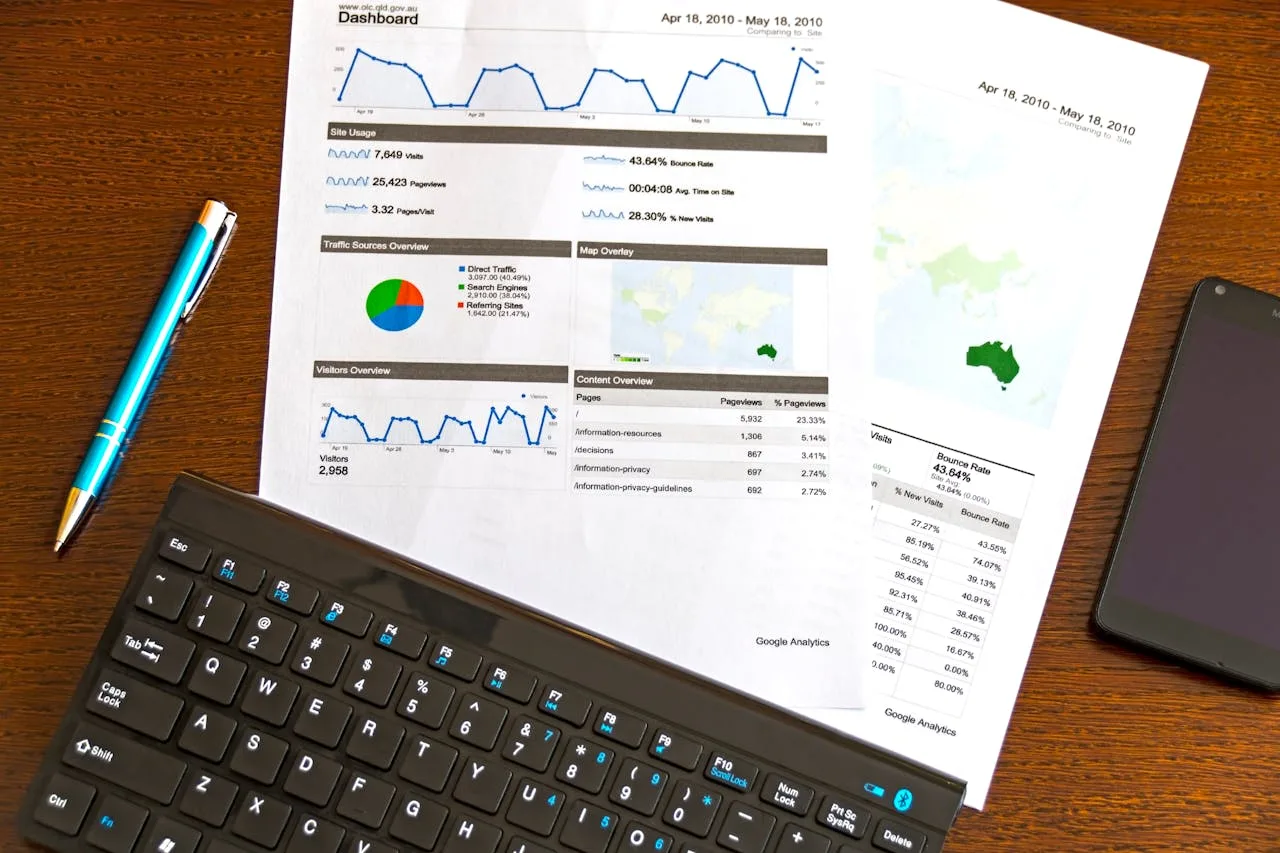
Google Analytics stands as one of the most powerful tools for understanding website performance and user behavior. This comprehensive analytics platform provides detailed insights into how visitors interact with your website, what content resonates with them, and which marketing channels drive the most valuable traffic. Since its transition to Google Analytics 4 (GA4), the platform offers even more sophisticated tracking capabilities and machine learning-powered insights. Whether you’re a business owner, marketer, or analyst, mastering Google Analytics allows you to make data-driven decisions that improve your online presence and drive better results.

Getting Started with Google Analytics Setup

Setting up Google Analytics properly forms the foundation for accurate data collection and analysis. The process begins with creating a Google Analytics account and configuring your first property. To start, visit the Google Analytics website and sign in with your Google account. If you don’t have one, you’ll need to create it first.

The setup process involves several key steps. First, you’ll create a property for your website or app in your Analytics account. During this process, you’ll need to provide basic information about your business, including your industry category and business size. This helps Google Analytics customize your reports and recommendations to match your specific needs.

Next, you’ll need to set up a data stream. A data stream represents the flow of data from your website or app to Google Analytics. For websites, this involves adding a tracking code to your site. You can do this either by directly implementing the Google tag or using Google Tag Manager, which offers more flexibility for managing multiple tags.

The Google tag needs to be placed in the section of every page you want to track. Many content management systems (CMS) like WordPress offer plugins that simplify this process. For example, MonsterInsights reports that their WordPress plugin handles this implementation automatically for over 3 million websites.

Configuring Essential Tracking Parameters

After basic setup, it’s crucial to configure your tracking parameters correctly. This includes setting up internal traffic filters to exclude your own visits from analytics data. You’ll also want to configure cross-domain tracking if your business operates across multiple domains.

User permissions represent another important aspect of configuration. Google Analytics allows you to manage access levels for different team members. You can assign roles such as Viewer, Editor, or Admin based on what each team member needs to accomplish within the platform.

According to Google’s developer documentation, proper configuration of these parameters significantly impacts data accuracy. For instance, implementing filters correctly can reduce data noise by up to 20% in many cases.

Creating and Managing Goals in Google Analytics

Goals in Google Analytics help you measure how well your site achieves your target objectives. In GA4, these are called “conversions” and can track various user actions, from completing a purchase to signing up for a newsletter.

To set up a conversion, navigate to the Configure section and select “Events” under the Data Stream settings. Here, you can mark existing events as conversions or create new custom events to track specific user interactions.

Common types of conversions include:

  • Destination completions (reaching specific pages)
  • Duration goals (time spent on site)
  • Pages per session goals
  • Event goals (specific user actions)

When setting up conversions, it’s important to align them with your business objectives. For example, an e-commerce site might track purchase completions, while a content site might focus on newsletter signups or time spent reading articles.

Understanding Audience Behavior Analysis

Analyzing audience behavior provides crucial insights into how users interact with your website. GA4 offers several powerful tools for this purpose, including detailed demographic data, interest categories, and behavior flow analysis.

The Audience reports section shows who your visitors are, including:

  • Demographics (age, gender)
  • Interests
  • Geographic location
  • Device usage
  • Engagement levels

According to Google’s analytics documentation, successful businesses typically analyze these metrics across different segments to identify patterns and opportunities. For instance, you might discover that mobile users from specific geographic regions show higher conversion rates for certain products.

Leveraging Advanced Analytics Features

GA4 includes several advanced features that can provide deeper insights into user behavior. The DebugView mode allows you to test your implementation and verify that events are being tracked correctly. This tool is particularly useful when setting up new event tracking or troubleshooting existing configurations.

Google Tag Manager integration offers advanced tracking capabilities beyond standard pageviews. You can track:

  • Scroll depth
  • File downloads
  • Form submissions
  • Video engagement
  • Custom button clicks

The Measurement Protocol allows you to send data to Google Analytics server-side, enabling tracking of offline conversions or data from other platforms. This advanced feature helps create a more complete picture of your user journey across different touchpoints.

Using Analytics Data for Marketing Decisions

Analytics data should drive marketing strategy and decision-making. The Acquisition reports show which channels bring traffic to your site and how valuable that traffic is in terms of conversions and engagement.

Key metrics to monitor include:

  • Channel performance
  • Campaign effectiveness
  • Landing page performance
  • User flow through your site
  • Conversion rates by source

According to recent studies, businesses that make data-driven marketing decisions see up to 30% higher returns on their marketing investments. GA4’s predictive metrics can help forecast future performance and identify high-value user segments.

Conclusion

Success with Google Analytics requires proper setup, regular monitoring, and strategic analysis of the data collected. Start by ensuring correct implementation of the tracking code and proper goal configuration. Then, focus on understanding your audience through detailed behavior analysis. Finally, use these insights to make informed marketing decisions that drive better results.

Remember that Google Analytics is continuously evolving, with new features and capabilities being added regularly. Stay updated with the latest changes and best practices to make the most of this powerful analytics platform. Consider exploring advanced features like Google Tag Manager and custom event tracking as you become more comfortable with the basics.

For next steps, review your current Analytics setup against the configuration steps outlined in this guide. Identify any gaps in your tracking and create a plan to address them. Then, establish regular reporting routines to monitor your key metrics and make data-driven decisions for your business.

reddit
Digital PR

Why Reddit and Wikipedia Now Drive More Brand Discovery Than Most Owned Media

If you want to know where AI answer engines pull their citations from, the answer is concentrated....

Learn More
Digital PR

The Four Signals: How to Engineer a Brand to Be Cited Inside AI Answers

When a buyer asks ChatGPT, Perplexity, Google AI Overviews, or Gemini who the leaders are in your...

Learn More
Digital PR

From Shelf to Screen: How Digital PR Drives Food Brand Sales

When your retail partners demand proof of consumer pull and your DTC conversion rates flatline...

Learn More
Related Digital PR